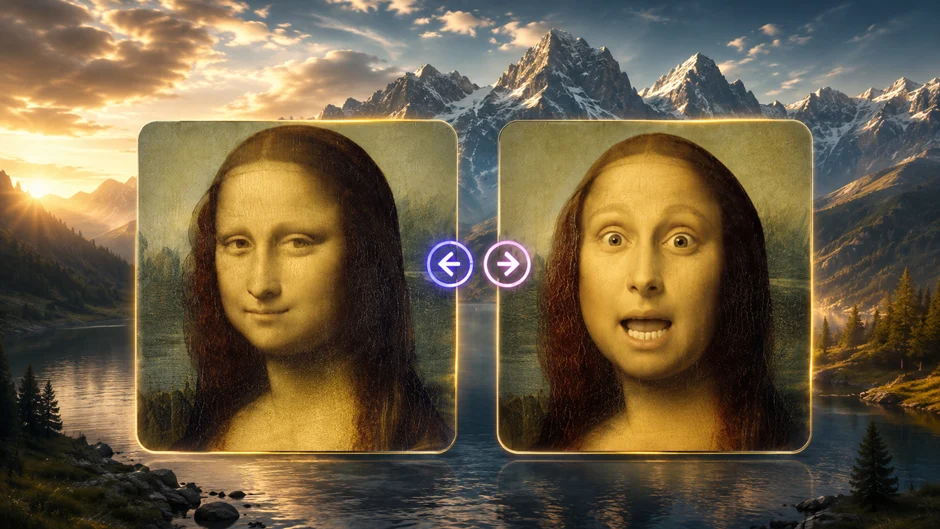
Syncing a voice track to a face used to mean hours in a timeline, nudging audio waveforms frame by frame until the mouth movements finally looked believable. That workflow is basically gone now. A new generation of AI models can map speech onto a photo, an illustration, or an existing video clip in a couple of minutes, and several of the best tools let you try the technology without paying a cent upfront.
Whether you’re dubbing a video into another language, animating a static portrait, building UGC-style ads, or turning a single photo into a talking avatar, the tools below represent the strongest options on the market in 2026. We tested each one for output quality, ease of use, and — since “free” is doing a lot of work in that headline — how generous the no-cost tier actually is.
At a Glance
| Tool | Best For | Free Tier | Starting Paid Price | Standout Feature |
| Magic Hour | All-around lip sync & face swap | Yes, no signup required | ~$10–15/mo (annual) | Frontier models, workflows, credits never expire |
| Synthesia | Corporate training videos | Limited trial | ~$18/mo | AI avatar presenters |
| HeyGen | Marketing & UGC videos | Limited credits | ~$24/mo | Avatar cloning |
| D-ID | Talking photo animation | Limited credits | ~$18/mo | Fast photo-to-video |
| Wav2Lip (open source) | Developers, self-hosting | Free (self-hosted) | Free | Open-source model |
| Kapwing | Quick social edits | Free with watermark | ~$16/mo | Browser-based editor |
1. Magic Hour
Magic Hour tops this list because it treats lip sync and face swap as first-class tools rather than side features bolted onto a broader video suite. You can generate a lip-synced clip or try a free AI lip sync tool without creating an account at all — a rarity in this category, where most competitors gate even the demo behind a signup wall. Once you do want more than a quick test, the same account gives you access to Magic Hour face swap, talking photo animation, and dozens of other video, image, and audio tools under one roof.
Why it stands out:
- No signup required to try — you can test lip sync and face swap generations before ever entering an email address.
- Credits that never expire — unused credits roll over indefinitely, so you’re never racing a monthly reset clock.
- Frontier AI models — Magic Hour integrates leading third-party and proprietary models rather than locking you into one engine, so quality keeps improving as the underlying tech does.
- Click-to-create templates — pre-built templates for common use cases (dubbing, talking avatars, UGC ads) cut setup time to almost nothing.
- One-click multi-step workflows — chain generate → upscale → animate into a single action instead of manually exporting and re-uploading between tools.
- Fast variations — generate multiple takes in parallel and pick the best one, with no concurrency cap slowing you down.
- Weekly feature releases — the product visibly ships new tools and model upgrades on a near-weekly cadence.
- Full API parity — anything you can do in the interface, you can also do through the API, which matters if you’re building this into a larger pipeline.
- Reliable at scale — the platform is built to hold up during traffic spikes and live activations, not just casual single-user testing.
- Founder-level support — support tickets are often answered directly by the founding team rather than routed through a generic queue.
Pricing: Magic Hour’s Free plan gives you real generation credits with no card required. Paid plans start at the Creator tier, priced around $10–15 per month when billed annually (roughly $19/month billed monthly), and scale up through Pro and Business tiers with higher resolution exports, more concurrent generations, and full commercial usage rights. For the amount of tooling included — video, image, and audio generation, not just lip sync — that price point is hard to match. Exact current pricing is always listed on Magic Hour’s pricing page.
Drawbacks: With so many tools bundled into one platform, first-time users may need a few minutes to find the specific feature they want. Heavy 4K video export is reserved for the higher-tier plans.
2. Synthesia
Synthesia is built primarily for corporate training and explainer videos featuring AI presenters. Its lip sync is tuned specifically for its own avatar library rather than arbitrary uploaded faces.
Main features: A large library of stock AI presenters, multi-language voiceovers, and screen-recording tools aimed at L&D and marketing teams.
Pricing: Synthesia offers a limited free trial with a handful of generated minutes; paid plans start at roughly $18 per month for individual creators, with team pricing scaling considerably higher.
Drawbacks: You’re mostly limited to Synthesia’s own avatars rather than syncing lip movement onto your own footage or photos, and the free tier is quite restrictive compared to more open platforms.
3. HeyGen
HeyGen has built a strong reputation for avatar cloning, letting creators build a digital twin that can deliver scripted lines in multiple languages with matching lip movement.
Main features: Personal avatar cloning, voice cloning, and multilingual dubbing that re-syncs mouth movements to translated audio.
Pricing: A limited free credit allotment is available; paid plans start around $24 per month.
Drawbacks: Realistic avatar cloning requires higher-tier plans, and rendering queues can slow down during peak usage on lower plans.
4. D-ID
D-ID specializes in animating a single still photo into a talking, lip-synced video — a narrower but well-executed use case.
Main features: Fast photo-to-video conversion, a range of stock presenter photos, and API access for developers building talking-avatar features into other products.
Pricing: A limited free trial is available; paid plans start around $18 per month.
Drawbacks: Output is centered on head-and-shoulders talking photos rather than full-scene video, so it’s less flexible for broader video editing needs.
5. Wav2Lip (Open Source)
Wav2Lip remains a popular choice among developers who want a self-hosted, free lip sync model they can run and modify on their own infrastructure.
Main features: Open-source code, full control over the pipeline, and no per-generation cost once it’s running.
Pricing: Free, but you supply the compute (a capable GPU is effectively required for reasonable render times).
Drawbacks: No hosted interface, no customer support, and setup requires comfort with Python environments and dependency management — not beginner-friendly.
6. Kapwing
Kapwing is a browser-based video editor that includes a lip-sync feature alongside its broader editing toolkit, making it a convenient pick for quick social-media edits.
Main features: Timeline-based editing, auto-subtitles, and lip sync as one tool among many in a general-purpose editor.
Pricing: Free with watermarked exports; paid plans start around $16 per month.
Drawbacks: Lip sync quality is solid for casual content but isn’t as fine-tuned as tools that specialize in the feature, and the free tier’s watermark limits usability for finished work.
How We Chose These Tools
We evaluated each platform against a consistent set of criteria: output quality and how natural the lip movement looks against real speech, how usable the free tier actually is (versus a free tier that exists mostly to collect an email address), pricing transparency, breadth of features beyond lip sync alone, and how the tool performs under real-world conditions like longer clips or higher resolution exports. We also weighed things like API availability and support responsiveness, since creators increasingly want to build these tools into larger content pipelines rather than use them as one-off utilities. Every price listed reflects the provider’s publicly published rates at the time of writing and may change.
FAQs
Is there really a free AI lip sync tool with no watermark? Some platforms, including Magic Hour, offer watermark-free image outputs on their free tier, though free-tier video exports on most platforms typically include a watermark or resolution cap until you upgrade.
Do I need technical skills to use these tools? No. Most modern lip sync and face swap platforms, including Magic Hour, HeyGen, and D-ID, are designed as point-and-click web apps. Only self-hosted options like Wav2Lip require coding experience.
Can I use these tools for commercial projects? Generally yes, but commercial usage rights are almost always reserved for paid plans. Check each platform’s terms before using free-tier output in client work or paid campaigns.
What’s the difference between lip sync and face swap? Lip sync matches mouth movement to an audio track on an existing face, while face swap replaces one face with another throughout a video or photo. Magic Hour supports both, along with related tools like talking photo animation, under one account.
Which tool is best for beginners? Magic Hour’s no-signup trial makes it the easiest starting point, since you can test lip sync and face swap output before committing to an account or a plan.
Conclusion
The best AI lip sync tools of 2026 have moved well past novelty status — they’re genuinely useful for dubbing, marketing, avatars, and creative projects, and several deliver strong results without demanding payment upfront. Magic Hour leads the pack thanks to its no-signup trial, non-expiring credits, and the sheer breadth of tools available in one place, but Synthesia, HeyGen, D-ID, Wav2Lip, and Kapwing each serve specific niches well. The right pick ultimately comes down to whether you want a focused single-purpose tool or an all-in-one platform that grows with your projects.