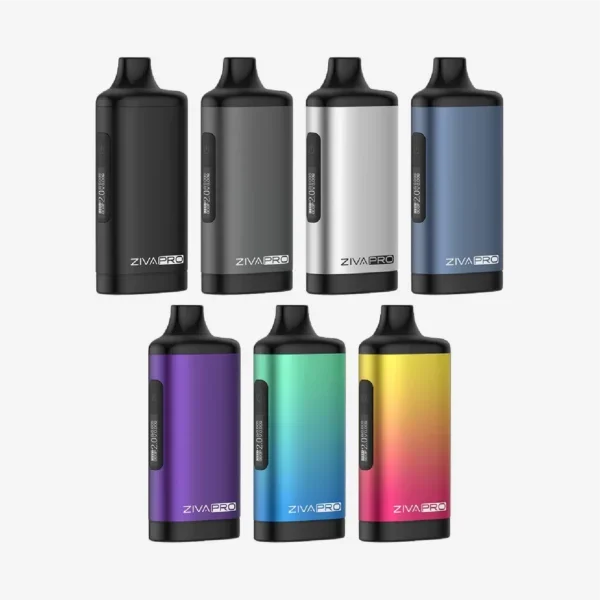
Compact vape devices rarely fail in dramatic ways. What actually happens is more subtle—performance dips, small annoyances show up, and the experience feels slightly off. The Yocan uni pro is no exception. It’s reliable, widely used, and well-designed, yet regular use brings along a handful of familiar issues.
None of these are complicated. In fact, most of them come down to small details that are easy to overlook—connection points, voltage habits, or simple wear from daily handling. Once those details are noticed, the fixes become straightforward and repeatable.
When the Draw Feels Weak for No Clear Reason
There are moments when the device powers on normally, responds to buttons, and still produces a weak or unsatisfying draw. It doesn’t feel broken, just… underwhelming.
What tends to cause this:
· The cartridge is slightly loose or not seated properly
· Airflow inside the cartridge is partially blocked
· Voltage is set lower than required for the oil type
· Contact points have a thin layer of residue
What usually improves it:
· Remove the cartridge and reconnect it without overtightening
· Increase the voltage in small steps instead of jumping levels
· Take a slower, more controlled draw rather than quick pulls
· Clean the base connection with a dry cotton swab
The Uni pro vape is generally consistent, so when output drops, the cause is often mechanical rather than electrical.
The Blinking Light That Causes Confusion
A flashing light on the Uni pro 510 battery can feel like a warning sign, but it’s simply the device communicating. It doesn’t speak in words, so light signals become the way it points out small issues.
Common reasons behind blinking:
· Battery charge running low
· Cartridge not fully connected
· Device becoming warm after repeated use
· Safety cut-off triggered by long draws
How to respond calmly:
· Plug in the device and let it charge for a while
· Check the cartridge position and alignment
· Let the device rest for a minute or two
· Shut it down and turn it back on again
The moment the pattern becomes recognizable, the flashing light ceases to appear random and starts making sense.
Cartridge Fit Feels Slightly Off
The adjustable chamber is one of the strengths of the Uni pro, but it also means the fit isn’t always automatic. A small mismatch in alignment can affect performance.
Why the fit can feel wrong:
· Height adjustment not matching the cartridge size
· Magnetic adapter not fully secured
· Slight design variation between cartridges
Small adjustments that solve it:
· Slide the height control until the cartridge sits evenly
· Ensure the magnetic adapter is attached firmly
· Try another cartridge to check compatibility
A proper fit makes a noticeable difference. Once aligned, the Yocan uni pro tends to hold everything securely without further issues.
Vapor Feels Light Even at Higher Settings
Turning up the voltage doesn’t always lead to thicker vapor, which can feel confusing at first.
What might be happening:
· The cartridge is nearing empty
· Oil inside is thick due to cooler temperature
· Airflow is slightly restricted
· The Uni pro battery isn’t fully charged
Practical ways to improve output:
· Use the preheat function briefly to warm the oil
· Check if the cartridge still has enough content
· Take longer, slower draws instead of quick puffs
· Charge the device before use
In many situations, the cartridge condition matters more than the setting itself.
Burnt or Harsh Taste Appears Suddenly
A burnt taste can appear without warning, especially when the device is pushed a bit too far.
Common reasons:
· Voltage set higher than necessary
· Repeated puffs without giving the device a break
· Cartridge overheating internally
Ways to fix it:
· Lower the voltage step by step
· Take shorter draws instead of long ones
· Allow a pause between puffs
The Uni pro 510 battery gives ample control for rectifying this problem without delay, however the adjustment must be done gradually and not suddenly.
Battery Drains Faster Than Anticipated
Battery function is evident after a while. Draining battery fast does not necessarily mean there is a problem; it is mostly due to how the device is used.
What leads to quicker drain:
· Constant use at higher voltage
· Device left powered on between sessions
· Irregular charging habits
Simple habits that help:
· Use mid-range voltage for everyday sessions
· Turn off the device when not in use
· Avoid charging for unnecessarily long periods
· Keep the charging port clean
A balanced approach keeps the Uni pro battery running more consistently throughout the day.
Device Doesn’t Respond When Pressed
An unresponsive device may seem like a huge problem, but it may actually be a minor one.
What might be happening:
· Battery fully drained
· Device locked as part of safety features
· Temporary internal pause after extended use
What usually works:
· Charge the device for a while before testing again
· Press the button multiple times to unlock
· Let the device cool if it has been used continuously
The Yocan uni pro is built with safety mechanisms that can temporarily stop operation, which sometimes gets mistaken for malfunction.
Connection Errors That Come and Go
Connection warnings can appear even when everything looks properly attached. These tend to come and go without clear explanation.
Likely causes:
· Dust or residue on contact surfaces
· Cartridge slightly misaligned
· Loose connection after repeated handling
Easy fixes:
· Clean both the cartridge base and device connection
· Reattach the cartridge carefully
· Avoid overtightening
The Uni pro vape relies on clean contact points, so even a small layer of buildup can interrupt performance.
Small Habits That Prevent Most Problems
Many issues don’t appear suddenly—they build up over time due to small habits.
Useful routines to follow:
· Clean the device occasionally, especially the connection area
· Store it in a dry place away from dust
· Avoid dropping or shaking it unnecessarily
· Use compatible cartridges
These habits don’t take much effort, but they keep the Uni pro 510 battery functioning smoothly over time.
Why Quality Still Plays a Role
Even with careful use, device quality matters. An authentic unit responds more accurately to settings and maintains stable output.
That’s why sourcing from trusted providers like Harbor City Hemp makes a difference. A genuine Uni pro tends to behave more predictably, making adjustments easier and performance more consistent.
Final Thoughts
Yocan uni pro is a relatively simple device. However, it responds to how it is handled. The majority of problems observed are likely minor, repeatable and easy to resolve.
Instead of making large changes or assuming something is broken, a slower approach works better. Checking connections, adjusting voltage in small steps, and maintaining simple habits usually resolve the situation.
Over time, these adjustments become routine. With steady use and a bit of attention, the Uni pro battery supports a consistent and reliable experience, allowing the device to perform the way it was intended.