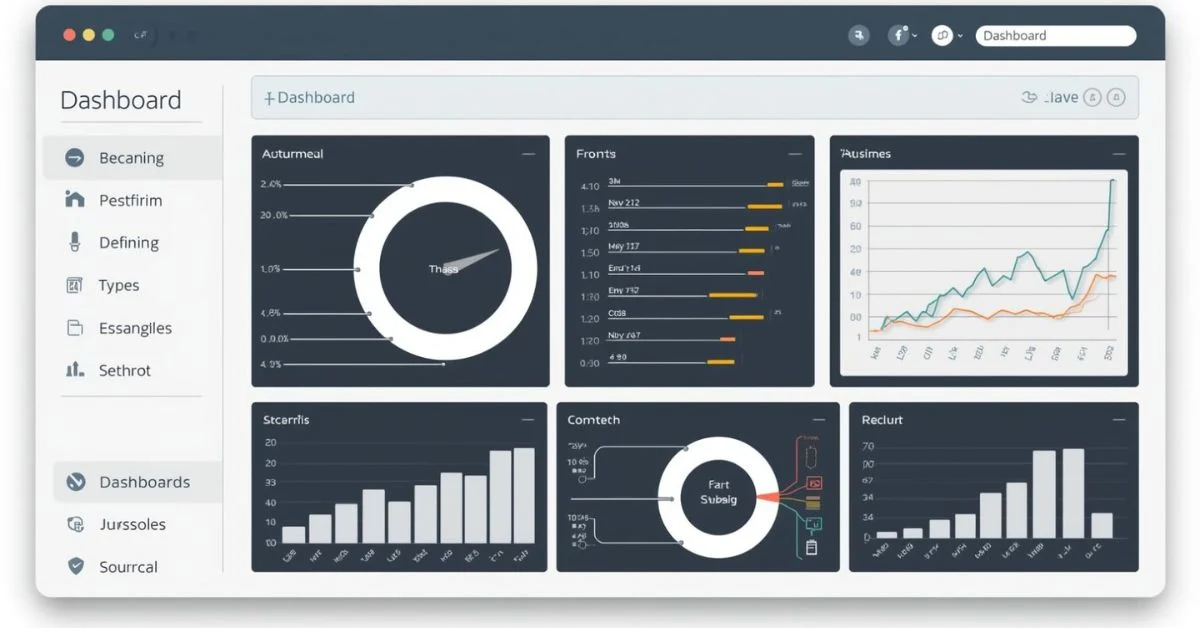
If you’ve ever checked the speed of your car or tracked your phone’s battery, you’ve already used a dashboard whether you realized it or not.
In simple terms, the dashboard meaning refers to a visual display that shows important information in one place, making it easy to understand at a glance.
Today, dashboards are everywhere from business and data analytics to software apps and websites helping people monitor performance, track progress, and make smarter decisions.
Instead of digging through long reports or complex spreadsheets, a dashboard brings key metrics, charts, and indicators together on a single screen.
This saves time and reduces confusion, especially when quick decisions matter.
Whether you’re a beginner trying to understand what a dashboard is, or a professional using dashboards daily, knowing their purpose and value is essential.
In this guide, we’ll explain the dashboard’s meaning in simple words, explore real-life examples, and show why dashboards have become such a powerful tool in the modern digital world.
What Is a Dashboard? (Simple Explanation)
A dashboard is a visual tool that displays important information, data, or metrics in one place so users can quickly understand what is happening. Instead of reading long reports or checking multiple pages, a dashboard summarizes key details using charts, graphs, numbers, and indicators. This makes information easier to read, compare, and act on.
To understand the dashboard meaning more clearly, think of a car’s dashboard. It shows speed, fuel level, engine temperature, and warning lights all on one panel. You don’t need to open the engine to know what’s wrong the dashboard tells you instantly. In the same way, a digital dashboard shows the most important data about a system, business, or process at a glance.
Dashboards are commonly used in business, data analytics, software applications, education, healthcare, and even personal productivity tools. For example, a business dashboard may show sales, revenue, and customer growth, while a website dashboard might display traffic, clicks, and user behavior. The main goal is always the same: to turn complex data into clear and useful insights.
Another key feature of a dashboard is that it often updates automatically. This means users can see real-time or near real-time information without manual effort. Because of this, dashboards help people make faster and better decisions. Whether you are a manager, student, analyst, or beginner, a dashboard helps you focus on what matters most without feeling overwhelmed by data.
Dashboard Definition in Different Contexts
The meaning of a dashboard can vary depending on the context in which it is used. While the basic idea remains the same displaying important information in one place the type of data and purpose often change. Understanding these variations helps you see how dashboards are applied in daily life, business, and technology.
In business, a dashboard is used to monitor performance and key metrics. For example, a sales dashboard shows revenue, leads, and conversion rates, while a marketing dashboard tracks campaigns, website traffic, and social media engagement. These dashboards allow managers to make informed decisions quickly without combing through multiple spreadsheets.
In data analytics, dashboards provide visual representations of large datasets. Analysts use dashboards to identify trends, patterns, and anomalies. Tools like Tableau, Power BI, or Google Data Studio allow users to create interactive dashboards that update automatically, making data-driven decision-making much easier.
In software applications, dashboards act as a central hub for users. For instance, a project management tool might have a dashboard that shows tasks, deadlines, and team performance in one place. Similarly, a CRM dashboard tracks customer interactions, sales progress, and follow-up actions.
Even in everyday life, dashboards exist. A vehicle dashboard shows speed, fuel, temperature, and warnings. Fitness apps use dashboards to display steps, calories burned, and heart rate. Educational platforms provide dashboards showing student progress, grades, and upcoming assignments.
Overall, dashboards adapt to the specific needs of their users, but the core idea is consistent: presenting key information quickly and clearly. Understanding these different contexts helps anyone, from beginners to professionals, appreciate why dashboards are essential in modern life.
Why Dashboards Are Important
Dashboards are more than just visual displays; they are essential tools that help individuals and organizations make informed decisions quickly. The importance of dashboards lies in their ability to present critical information clearly and concisely, saving time and reducing confusion.
One of the main advantages of dashboards is centralized information access. Instead of searching through multiple reports, spreadsheets, or applications, users can see all important metrics in a single view. For businesses, this could mean monitoring sales, revenue, and customer engagement in real-time. For personal use, it might be tracking fitness goals or financial spending.
Dashboards also play a crucial role in faster decision-making. With key data displayed visually through charts, graphs, and indicators, users can quickly identify trends, spot issues, and take corrective action. For example, a manager can notice a drop in sales immediately and implement strategies to improve performance.
Another reason dashboards are important is performance tracking. They allow teams and individuals to monitor progress toward goals and evaluate results efficiently. Employees can understand how their work contributes to overall objectives, while leaders can assess team performance at a glance.
Additionally, dashboards reduce information overload. By filtering out unnecessary data and focusing on relevant metrics, dashboards make complex information digestible. They also improve accuracy by pulling data from reliable sources and updating automatically, reducing human error.
In short, dashboards combine clarity, efficiency, and insight, making them indispensable in business, analytics, software, and even daily life. Anyone who wants to make smarter, faster, and data-driven decisions benefits from using dashboards effectively.
Main Components of a Dashboard
A dashboard is more than just a collection of numbers; it’s a carefully designed tool that organizes and presents data in a way that is easy to understand and act upon. Understanding the main components of a dashboard helps you appreciate how it communicates information effectively.
The first and most important component is metrics and KPIs (Key Performance Indicators). These are the core numbers that show how a system, process, or business is performing. For example, a sales dashboard may track revenue, new leads, and conversion rates. Choosing the right KPIs is essential because they guide decisions and focus attention on what matters most.
Charts and graphs are another critical component. Visual representations like bar charts, line graphs, pie charts, and trend lines make it easier to compare values, see patterns, and identify changes over time. Instead of reading through rows of numbers, users can grasp information instantly.
Tables and summaries provide detailed information that complements visual data. While charts give an overview, tables allow users to see exact figures, rankings, or lists, making it easier to analyze data more deeply.
Many dashboards also include filters and controls, which let users customize the view by selecting specific dates, categories, or regions. This interactivity ensures that the dashboard remains relevant to the user’s needs.
Finally, alerts and indicators highlight critical information, such as unusual trends, errors, or deadlines. For instance, a red warning icon may indicate that a KPI has fallen below the target, prompting immediate attention.
By combining these components KPIs, visualizations, tables, filters, and alerts dashboards provide a complete, clear, and actionable picture of performance, helping users make informed decisions quickly and effectively.
Types of Dashboards (With Examples)
Dashboards come in different types, each designed to serve specific purposes. Understanding the types of dashboards helps you choose the right one for your needs, whether in business, analytics, or personal use.
1. Operational Dashboards:
These dashboards focus on real-time monitoring of day-to-day activities. They track current operations and help teams respond quickly to issues. For example, a customer support dashboard may show active tickets, response times, and agent availability.
2. Analytical Dashboards:
Analytical dashboards are used to explore large datasets, identify trends, and support strategic decision-making. They often include interactive charts, graphs, and drill-down options. A marketing team might use an analytical dashboard to examine campaign performance over time and understand customer behavior.
3. Strategic Dashboards:
Strategic dashboards are designed for high-level decision-makers. They summarize key performance indicators (KPIs) and metrics to evaluate overall business performance. Executives use these dashboards to track long-term goals, revenue growth, or market share.
4. Tactical Dashboards:
Tactical dashboards focus on short-term processes and projects. They help middle management monitor progress, resource allocation, and departmental performance. For instance, a project management dashboard may show task completion, deadlines, and team efficiency.
5. Real-Time Dashboards:
Real-time dashboards display live data as it updates. These are critical in environments where timely information is essential, such as network monitoring, stock trading, or e-commerce inventory management.
Each type of dashboard is tailored to its audience and purpose. While operational and real-time dashboards focus on immediate actions, analytical, strategic, and tactical dashboards support planning and decision-making. Choosing the right type ensures that the dashboard is effective, relevant, and easy to use for its intended audience.
By understanding these types, businesses and individuals can leverage dashboards to monitor, analyze, and act on data efficiently.
Dashboard vs Report (Key Differences)
While dashboards and reports both display information, they serve different purposes and are designed for distinct types of decision-making. Understanding the difference is essential for using them effectively.
A dashboard is a visual, interactive display that shows key metrics and data at a glance. It often updates in real-time or near real-time, allowing users to monitor ongoing performance and respond quickly. Dashboards are usually concise and focus on the most important information. For example, a sales dashboard might display daily revenue, top-selling products, and lead conversion rates in charts, graphs, and indicators.
In contrast, a report is typically a detailed, static document that provides a comprehensive view of data over a period. Reports are often generated weekly, monthly, or quarterly and include in-depth analysis, commentary, and explanations. A sales report, for instance, might include tables of all transactions, customer demographics, and trend analysis with descriptive summaries.
Another key difference is interactivity. Dashboards allow users to filter data, drill down into specifics, and explore trends dynamically. Reports, however, are usually read-only and require a new version to reflect updated data.
Dashboards are ideal for quick decision-making and monitoring, while reports are better for deep analysis and documentation. Businesses often use both together: dashboards for real-time oversight and reports for detailed review and strategic planning.
In summary, a dashboard gives you a live snapshot of what’s happening now, while a report provides a detailed story of what has happened over time. Knowing when to use each ensures that you get the right insights at the right time.
Examples of Dashboards in Real Life
Dashboards are everywhere, often in places we might not even realize. They help people monitor information quickly and make decisions based on clear, organized data. Here are some common real-life examples of dashboards:
1. Business Performance Dashboards:
Companies use dashboards to track key metrics like sales, revenue, expenses, and customer growth. For example, a retail business dashboard may show daily sales trends, top-selling products, and inventory levels. Managers can quickly identify which areas need attention without digging through multiple spreadsheets.
2. Sales & Marketing Dashboards:
These dashboards monitor campaigns, leads, conversions, and website traffic. Marketing teams use them to see which strategies are performing well and adjust campaigns in real-time. For instance, a dashboard might show click-through rates, email campaign results, and social media engagement.
3. Website Analytics Dashboards:
Web analytics dashboards, like Google Analytics, display user traffic, session duration, bounce rates, and conversion goals. They help website owners and content creators understand audience behavior and optimize their websites for better performance.
4. Finance Dashboards:
Finance dashboards track budgets, expenses, cash flow, and financial KPIs. Companies use them to ensure financial health and make decisions about investments, savings, or cost-cutting strategies.
5. Vehicle Dashboards:
The most familiar example is a car dashboard. It shows speed, fuel levels, engine temperature, and warning alerts, allowing drivers to operate safely and efficiently.
6. Personal Productivity Dashboards:
Apps like fitness trackers or task managers use dashboards to display steps taken, calories burned, project progress, or upcoming deadlines, helping users stay organized and motivated.
These examples show that regardless of the context, business, personal, or technical dashboards simplify complex data, highlight important metrics, and support faster, smarter decisions. They are essential tools in today’s data-driven world.
How Dashboards Work
Dashboards work by collecting, processing, and displaying data in a visual format that is easy to understand. They act as a central hub where important information is presented at a glance, helping users make faster, more informed decisions. Understanding how dashboards work can help you use them more effectively.
The first step in a dashboard’s operation is data collection. Dashboards gather information from multiple sources, such as databases, spreadsheets, APIs, or cloud applications. For example, a business dashboard may pull sales data from an e-commerce platform, marketing metrics from Google Analytics, and customer information from a CRM system.
Next, dashboards perform data processing. Raw data is cleaned, organized, and transformed into meaningful metrics. This may involve calculations, aggregations, or applying formulas to convert complex numbers into understandable insights. For instance, total revenue, average conversion rate, or customer retention percentage are calculated from raw transactional data.
After processing, the data moves to the visualization layer. Here, information is displayed using charts, graphs, tables, and indicators. Visualizations make it easier to spot trends, patterns, or anomalies at a glance. Interactive dashboards allow users to filter data, zoom into details, and compare metrics dynamically.
Finally, dashboards often include alerts and updates. They can notify users of unusual trends, thresholds exceeded, or critical events. Many dashboards update in real-time or at scheduled intervals to ensure the information is current and reliable.
In short, dashboards collect data, process it, visualize insights, and provide updates to help users monitor performance and make decisions efficiently. This combination of automation and visualization is what makes dashboards an indispensable tool in business, analytics, software, and everyday life.
Popular Dashboard Tools & Software
To create and use dashboards effectively, professionals rely on dashboard tools and software. These tools make it easy to collect data, visualize metrics, and share insights with teams or clients. Choosing the right tool depends on your goals, technical skills, and the type of data you want to track.
1. Microsoft Excel:
Excel is one of the most widely used dashboard tools. It allows users to create simple dashboards using charts, tables, and pivot tables. Excel is especially popular for small businesses and beginners because it is flexible and requires minimal setup.
2. Google Data Studio (Looker Studio):
Google Data Studio is a free, cloud-based tool that creates interactive dashboards. Users can connect multiple data sources like Google Analytics, Google Sheets, or social media platforms. It’s ideal for marketing and web analytics dashboards.
3. Power BI:
Microsoft Power BI is a powerful business intelligence tool for creating professional dashboards. It allows users to transform raw data into visual insights, with interactive charts and real-time updates. Power BI is commonly used by enterprises for data-driven decision-making.
4. Tableau:
Tableau is another leading data visualization tool used for analytical and strategic dashboards. It supports complex datasets and interactive visualizations, making it perfect for large organizations and analysts.
5. CRM and ERP Dashboards:
Customer Relationship Management (CRM) and Enterprise Resource Planning (ERP) systems often include built-in dashboards. These dashboards track sales, customer interactions, inventory, or finance, helping businesses monitor performance and efficiency.
Other tools like Qlik Sense, Zoho Analytics, and Klipfolio also provide specialized dashboards for analytics, marketing, and operational monitoring.
Using these tools, businesses and individuals can simplify complex data, track KPIs, and make faster, more informed decisions, making dashboards an essential part of modern workflows.
How to Create a Dashboard (Beginner Overview)
Creating a dashboard may seem complicated at first, but with a clear plan, anyone can build one that is both effective and easy to understand. Dashboards are most useful when they display the right information clearly, so following a structured approach is key.
The first step is to define your goals. Ask yourself what you want to achieve with the dashboard. Are you monitoring sales performance, tracking marketing campaigns, or analyzing website traffic? Clear objectives help determine which data and metrics to include.
Next, choose the right metrics and KPIs. Only include data that is relevant to your goals. For example, a sales dashboard may include revenue, conversion rate, and lead generation metrics, but it doesn’t need unrelated data like employee attendance.
After deciding what to track, select the appropriate tool. Beginners often start with Excel or Google Data Studio, while advanced users may prefer Power BI or Tableau. The tool should match your technical skills and data sources.
Once the tool is chosen, focus on designing for clarity. Use charts, graphs, and tables to represent data visually. Keep the layout simple, highlight key metrics, and use colors consistently to indicate performance, trends, or alerts.
Finally, test and refine your dashboard. Make sure it updates correctly, displays accurate information, and is easy to understand. Gather feedback from users to improve its usability.
By following these steps defining goals, selecting metrics, choosing tools, designing effectively, and testing you can create a dashboard that simplifies complex data, highlights important insights, and supports smarter decisions. Even beginners can quickly master dashboard creation with this structured approach.
Common Dashboard Mistakes to Avoid
Even the most well-intentioned dashboards can fail if they are poorly designed or mismanaged. Understanding the common mistakes to avoid ensures your dashboard is effective, actionable, and easy to use.
One of the biggest mistakes is including too much data. Overloading a dashboard with metrics and charts can overwhelm users, making it difficult to focus on what truly matters. A good dashboard highlights key metrics, not every piece of information available.
Another common error is poor visual choices. Using confusing colors, inappropriate chart types, or cluttered layouts can make data harder to interpret. For example, using a pie chart for many categories can be confusing, while a bar chart might communicate the same information more clearly.
Many dashboards fail because they lack a clear goal. Every dashboard should have a purpose, whether it’s monitoring daily operations, tracking project progress, or analyzing trends. Without clear objectives, users may struggle to understand what the dashboard is showing or how to act on it.
Ignoring the user experience is another common pitfall. Dashboards should be intuitive, easy to navigate, and tailored to the audience. A dashboard designed for executives may look very different from one intended for analysts or team members.
Finally, dashboards often fail due to outdated data. If metrics are not updated automatically or regularly, users may make decisions based on incorrect or old information. Real-time or scheduled updates are crucial for accuracy.
By avoiding these mistakes with too much data, poor visuals, unclear goals, ignoring user needs, and outdated information you can create dashboards that deliver clear insights, support decision-making, and provide real value to users.
Dashboard Meaning in Business (Detailed Section)
In the business world, dashboards have become essential tools for monitoring performance, tracking progress, and supporting strategic decision-making. Understanding the dashboard meaning in business helps managers, executives, and teams stay focused on what truly matters.
A business dashboard typically displays key performance indicators (KPIs) such as sales revenue, customer acquisition, profit margins, and operational efficiency. By centralizing this data, businesses can quickly identify trends, spot issues, and make informed decisions without sifting through multiple reports. For example, a sales manager can see daily sales numbers, top-performing products, and conversion rates in one glance, allowing quick action to improve results.
Business dashboards also support real-time monitoring. With live updates, decision-makers can respond immediately to changes in performance, market trends, or operational issues. This is particularly important for fast-moving industries like retail, e-commerce, or logistics, where delays in understanding data can lead to lost opportunities or higher costs.
Dashboards in business also improve team collaboration and accountability. Department-specific dashboards help teams track their own progress while aligning with overall company goals. Employees can understand how their work contributes to larger objectives, and managers can easily evaluate performance across departments.
Additionally, dashboards reduce data overload by highlighting only the most important metrics, making complex information digestible and actionable. They allow businesses to visualize patterns, measure growth, and plan strategies effectively.
In short, the dashboard meaning in business is more than just a tool it is a critical resource for decision-making, efficiency, and performance management, helping organizations operate smarter in today’s data-driven world.
Advantages and Limitations of Dashboards
Dashboards are powerful tools that help users visualize and understand data, but like any tool, they come with both advantages and limitations. Understanding these helps ensure dashboards are used effectively.
Advantages of Dashboards
1. Visual Clarity: Dashboards present data in charts, graphs, and indicators, making complex information easy to understand at a glance. Users can quickly identify trends, patterns, or issues without digging through raw data.
2. Real-Time Insights: Many dashboards update automatically, providing live or near real-time information. This allows businesses and individuals to react quickly to changes, improving decision-making speed and accuracy.
3. Efficiency and Time-Saving: Dashboards centralize data from multiple sources in one place. Instead of manually gathering and analyzing information, users can view all critical metrics in a single interface.
4. Performance Tracking: Dashboards help monitor progress toward goals and KPIs. Teams and managers can evaluate performance effectively and take corrective action when needed.
Limitations of Dashboards
1. Dependency on Data Accuracy: Dashboards are only as good as the data they display. Inaccurate or incomplete data can lead to misleading insights and poor decisions.
2. Risk of Over-Simplification: Dashboards focus on key metrics, which may oversimplify complex information. Users might miss important details if they rely solely on dashboard visuals.
3. Setup and Maintenance Effort: Creating a functional dashboard requires planning, data integration, and design. Maintaining dashboards with up-to-date and accurate data can be time-consuming.
In conclusion, while dashboards provide clarity, efficiency, and insight, users must be aware of their limitations. A well-designed dashboard balances simplicity with accuracy to support informed decision-making.
Future of Dashboards
Dashboards have evolved significantly over the years, and their future looks even more exciting as technology continues to advance. Modern dashboards are no longer just static displays of numbers; they are becoming smarter, more interactive, and highly personalized, transforming the way individuals and businesses use data.
One major trend is AI-powered dashboards. Artificial intelligence allows dashboards to analyze large datasets automatically, identify patterns, and even predict future trends. For example, an AI-enabled sales dashboard can forecast revenue based on historical data and market trends, helping businesses make proactive decisions.
Predictive analytics is another emerging feature. Instead of only showing past or current data, future dashboards will increasingly provide actionable insights about what might happen next. This allows managers and teams to plan ahead, reduce risks, and seize opportunities more effectively.
Automation and personalization are also shaping the future of dashboards. Users will be able to customize views, receive automated alerts, and interact with dashboards using natural language queries. This makes dashboards more intuitive and tailored to individual needs, whether in business, healthcare, or personal productivity.
Additionally, mobile and cloud-based dashboards are becoming standard. Professionals can now access real-time data from anywhere, on any device, without being tied to a desktop. This accessibility enhances collaboration, monitoring, and decision-making across distributed teams.
In summary, the future of dashboards lies in intelligence, interactivity, and accessibility. As AI, predictive analytics, and cloud technologies advance, dashboards will continue to evolve from simple visualization tools into essential decision-making platforms, enabling users to act faster, plan better, and stay ahead in a data-driven world.
Frequently Asked Questions About Dashboard Meaning
Dashboards are widely used across business, analytics, and technology, which often leads to common questions about their purpose, use, and benefits. Answering these questions helps beginners and professionals understand dashboards better.
1. What does dashboard mean in business?
In business, a dashboard is a visual tool that displays key performance indicators (KPIs) and metrics, such as sales, revenue, or customer growth, in one place. It allows managers and teams to monitor progress, identify trends, and make faster decisions.
2. Is a dashboard the same as a report?
No. A dashboard provides a real-time, visual snapshot of critical metrics, while a report is usually a detailed, static document showing historical data. Dashboards focus on monitoring, whereas reports are for analysis and documentation.
3. What is a data dashboard?
A data dashboard collects and visualizes data from multiple sources in one interface. It may include charts, tables, and alerts to help users understand complex information quickly and make data-driven decisions.
4. Why is it called a dashboard?
The term “dashboard” comes from vehicle dashboards, which display essential information like speed, fuel, and engine status in one panel. Similarly, digital dashboards present key metrics in one centralized view.
5. Who uses dashboards?
Dashboards are used by a wide range of people, including business executives, managers, analysts, software users, educators, and even individuals tracking personal goals like fitness or finances.
These FAQs clarify the dashboard meaning, purpose, and use cases. Whether you are a beginner exploring dashboards or a professional seeking insights, understanding these basic questions helps you use dashboards more effectively and appreciate their value in decision-making.
Conclusion
Dashboards have become an indispensable tool in today’s data-driven world, offering a clear, centralized view of important information.
Understanding the dashboard meaning helps individuals and organizations leverage their full potential, whether for business, analytics, software, or personal productivity.
At their core, dashboards provide visual clarity, transforming complex data into charts, graphs, and indicators that are easy to understand at a glance.
They save time, improve efficiency, and support faster decision-making by highlighting critical metrics and trends.
From business performance dashboards tracking revenue and sales to personal dashboards monitoring fitness or finances, the principle remains the same: simplify information and make it actionable.
Dashboards also enhance collaboration and accountability.
By presenting the right information to the right audience, they allow teams and managers to monitor progress, evaluate performance, and align efforts with strategic goals. Real-time updates and interactivity further empower users to respond quickly to changes or opportunities.
While dashboards have clear advantages, such as efficiency and insight, they also come with limitations, including reliance on accurate data, potential oversimplification, and the effort needed for setup and maintenance.
Awareness of these factors ensures dashboards are used effectively and remain reliable decision-making tools.
In the future, dashboards will become even smarter and more interactive, powered by AI, predictive analytics, and cloud technologies.
Whether you are a beginner, a manager, or an analyst, mastering dashboards allows you to monitor, analyze, and act on data confidently, making them a vital resource in virtually every professional and personal context.
Dashboards are not just tools, they are windows into performance, trends, and opportunities, helping users make smarter, faster, and more informed decisions every day.

Owen Carter — Creating moments that inspire, entertain, and connect. From creative ideas to daily insights, this page brings personality, passion, and authenticity in every post. Powered by ThePunSide.com for even more creativity, humor, and good vibes every day.