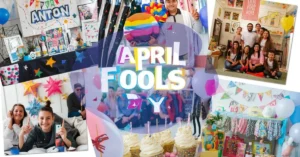
Photo collage design has become one of the most popular and heartfelt ways to organize memories, showcase creativity, and tell visual stories in a single frame. In 2025, with social media feeds favoring multi-image storytelling and personal printing services making high-quality outputs affordable, collage design remains a go-to method for celebrating moments, planning content, and creating meaningful gifts. A good collage combines several photos with thoughtful layout, color harmony, and subtle decorative touches to create something that feels both artistic and deeply personal. Adobe Express offers one of the most user-friendly photo collage tools available, allowing you to drag, resize, rotate, layer, and enhance images with text, stickers, frames, backgrounds, and effects—all for free in the browser or mobile app. This comprehensive guide explains how to create collage designs for different occasions and purposes, including family memory keepsakes, social media grids, gift ideas, wedding/event mementos, travel journals, pet tributes, fitness progress boards, and small business promotions, with detailed step-by-step instructions, layout inspiration, customization techniques, printing advice, and pro tips to help your collages look polished and emotionally resonant.
Whether you’re preserving a year of family milestones, planning your Instagram aesthetic for the next quarter, or making a one-of-a-kind anniversary gift, a photo collage in 2025 is an accessible way to blend nostalgia, creativity, and purpose into one beautiful piece.
Why Collage Design Continues to Thrive in 2025
Collage design remains timeless because it mirrors how humans actually remember life: not as isolated moments, but as overlapping, layered experiences. A single photo captures one second; a collage captures a feeling, a season, a relationship, or a journey. Viewers naturally spend more time looking at collages because their eyes move from image to image, discovering new details – this longer dwell time makes collages especially effective on social media, where algorithms reward engagement.
For personal projects, collages preserve emotions in ways single images cannot: a graduation board with childhood photos next to cap-and-gown shots, a friendship collage spanning ten years of trips and inside jokes, or a pet tribute with every stage from puppy to senior. For social media creators and influencers, collages solve the “too many good photos” problem by grouping them into one post that feels curated and intentional. Small businesses use collages to show product variety, behind-the-scenes moments, or customer transformations without overwhelming feeds. Teachers and educators create visual summaries for lessons, timelines, or student showcases that make abstract concepts more tangible.
In 2025, collage design has also become more sustainable and hybrid: digital-first collages are shared instantly online, then printed on demand via services that use recycled paper or canvas. The emotional impact remains the same whether viewed on a phone screen or hung on a wall.
Popular Collage Design Project Ideas for 2025
Collage design adapts beautifully to many life moments and creative goals. Here are some of the most common and meaningful uses in 2025:
Personal & Family Memory Collages
- “Year in Review” collages with one photo per month
- Milestone boards (first year of baby, 10-year friendship, 5-year marriage)
- Family vacation recaps showing places, people, and food
- Pet life-story collages from puppy/kitten to senior years
Social Media & Content Creator Collages
- Instagram grid planning collages to preview feed aesthetics
- Story highlight covers grouping similar moments (coffee, books, travel)
- “Weekly roundup” or “photo dump” collages with captions
- Before-and-after transformation series for fitness, home decor, or style
Gift & Keepsake Collages
- Anniversary or birthday gifts with photos + handwritten notes
- Graduation or wedding thank-you collages for guests
- “Best friends” collages for long-distance friendships
- Holiday cards with family photos + seasonal elements
Wedding & Event Collages
- Save-the-date preview collages with a couple of photos and venue hints
- Guestbook alternative: collage of the couple’s journey for guests to sign
- Thank-you cards with wedding-day highlights
- Engagement party or bridal shower memory boards
Professional & Small Business Collages
- Product collection showcases the full range
- Client testimonial collages with before/after photos
- Behind-the-scenes team or process collages
- Portfolio mood boards for designers, photographers, or stylists
Educational & Motivational Collages
- Classroom vocabulary or history timeline collages
- Vision boards for goal setting and manifestation
- Fitness or habit tracker progress collages
- Study topic summary collages for exam review
Each type benefits from the same core principles: thoughtful photo selection, balanced layout, consistent color story, and meaningful (but minimal) text.
Step-by-Step Guide to Creating Collage Designs with Adobe Express
Adobe Express is one of the most beginner-friendly collage tools available. Here is how to create your own.
Step 1: Gather Photos and Decide on Purpose
Collect 6–20 high-resolution photos that belong together. Delete blurry or duplicate shots. Decide the story or emotion you want to convey: joyful celebration, quiet reflection, professional showcase, or playful recap. Choose a loose color palette or mood (warm autumn tones, soft pastels, bold neons, classic black & white).
Step 2: Open the Collage Tool
Go to the Adobe Express photo collage maker. Choose a pre-made grid template (square, rectangle, heart, circle, freeform) or start with a blank canvas. The interface is drag-and-drop simple.
Step 3: Upload and Arrange Your Images
Upload photos from your device, cloud storage, or directly from your camera roll. Drag each image into the grid cells or place freely on a blank canvas. Resize, rotate, flip, or crop images directly in the editor. Experiment with overlapping edges or irregular placement for an artistic feel; keep everything aligned for a clean, professional look.
Step 4: Add Text, Stickers, and Effects
Include titles, dates, quotes, or labels using built-in fonts (mix bold headlines with handwritten-style body text). Add subtle stickers, frames, borders, or shapes to tie elements together. Apply light filters or color overlays to unify the mood. Use the alignment tools to keep spacing even.
Step 5: Preview, Export, and Share/Print
Preview your collage on mobile and desktop views. Download as high-resolution PNG (best for digital sharing) or PDF (best for printing). For physical prints, use matte or luster photo paper at home, or order from services like Shutterfly, Printful, or local print shops for canvas, metal, or framed options. A mother made a first-year baby collage this way and turned it into a 16×20 canvas print that became the nursery centerpiece.
Design Tips for Meaningful and Beautiful Collages
- Limit to 8–15 photos for balance; too many feel chaotic
- Choose one dominant color story (3–5 complementary shades)
- Place the most emotionally important photo in the center or top
- Use white space generously so images can breathe
- Mix photo orientations (portrait + landscape) for dynamic flow
- Keep text minimal and readable; use 1–2 fonts max
- Add subtle shadows or borders for depth if desired
- Save multiple versions (digital-only vs. print-ready with bleed)
- Test on phone screens since most people view collages there first
Small decisions like photo order, color harmony, and text placement make the biggest emotional difference.
Frequently Asked Questions
Q: How many photos are ideal for a collage?
A: 6–15 images usually create the best visual balance without overcrowding.
Q: Can I print my collage at home?
A: Yes – export as PDF and use high-quality photo paper for best results.
Q: What size works best for social media collages?
A: 1080×1080 pixels is perfect for Instagram posts and stories.
Q: Is the collage maker completely free?
A: Basic collage creation and export are 100% free with no limits.
Q: Can I add custom text, stickers, or backgrounds?
A: Yes – full tools for text, stickers, frames, shapes, and background colors/patterns.
Conclusion
A collage editor like the one in Adobe Express is your creative shortcut to turning photos into meaningful, beautiful stories. By gathering images with intention, arranging them thoughtfully, adding personal touches, and exporting in the right format, you create collages that celebrate moments, strengthen connections, and stand out in feeds or on walls.