A single illustration can carry a sharp idea in one frame. Adding movement is harder. The image still needs to make the same point, even after the camera shifts, an object moves, or a sound cue changes the mood.
For an illustrator or editor, the answer is not to animate every detail. It is to find the one change that gives the picture a beginning, a turn, and an ending. Seedance on XMK provides text-to-video and reference-generation options for testing that change as a short moving scene. The generated clip is a draft to examine, not a replacement for editorial judgment.
Start With What the Illustration Is Saying
Editorial art often compresses an argument into a visual metaphor. A tiny worker pushes an enormous notification icon uphill. A city street bends toward a glowing phone. A desk disappears beneath unread messages. The picture already has a point; movement should reveal it rather than compete with it.
Write one sentence describing what the viewer must notice. Then write a second sentence describing the change. For example: “A quiet office desk is gradually covered by notification cards, while the lamp, coffee cup, and headline area remain fixed.” That direction is more useful than a list of cinematic adjectives because it separates the action from the elements that must stay stable.
It also gives the team a clear review question. If the final clip makes the notifications more noticeable but distorts the central metaphor, the animation has missed the brief even if the motion looks polished.
Choose a Mode That Fits the Starting Material
A blank page and a finished illustration require different approaches. Text-to-video is useful when the team is still exploring the scene itself. A reference-led generation is more suitable when the composition, palette, or character design already exists and should guide the moving draft.
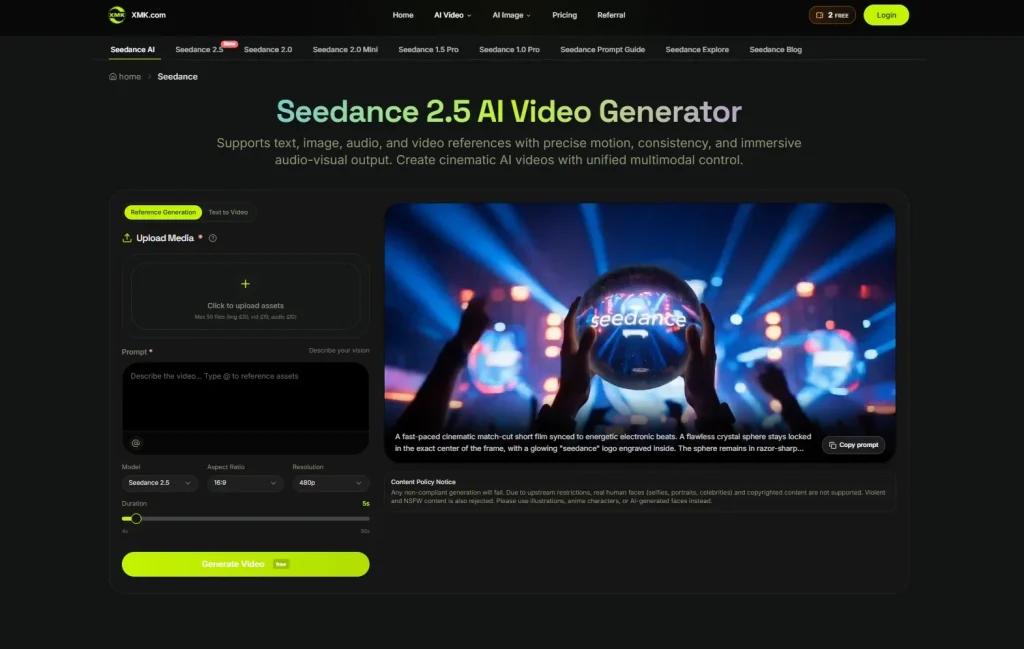
The Seedance page brings several models and generation options into one workspace. The useful decision is not simply which model is newest. It is whether the selected mode accepts the material the team already has and gives enough control for the planned scene. A quick motion study may need only one image and a concise prompt. A more defined visual concept may benefit from separate references for the subject, setting, colors, and movement.
Start with the smallest workable set. Extra references are helpful only when each one answers a clear question. Conflicting character sheets, unrelated lighting examples, or several versions of the same composition can make the intended hierarchy less obvious.
Build a Small Story, Not a Moving Poster
A short clip has room for a simple sequence. It does not need five locations or a surprise every two seconds. A practical structure is setup, change, and hold.
- Setup: Give the viewer enough time to understand the source image.
- Change: Introduce one visible action that develops the idea.
- Hold: Let the final frame settle so the point can land.
If the illustration is about digital overload, the setup might show a tidy screen, the change might be the steady arrival of alerts, and the final hold might reveal one small task buried beneath them. The motion carries the argument without requiring a voiceover to explain every beat.
Camera movement should have an equally clear job. A slow push can guide attention toward a small detail. A locked camera can make changes inside the frame easier to read. A dramatic orbit may look impressive, but it can weaken a flat graphic composition built around clean shapes and deliberate spacing.
Write Motion Instructions That Can Be Checked
Useful prompts describe visible actions. “The paper slips slowly from the folder as the camera remains still” can be checked against the result. “Make it dynamic and engaging” cannot. Include the subject, action, setting, camera behavior, and desired pace, then state which elements should remain unchanged.
Break complicated ideas into beats instead of placing every instruction in one sentence. The opening frame, main change, and closing hold can each have a short description. This makes it easier to spot whether a problem comes from the concept, the timing, or the way the instruction was written.
When exact wording matters, plan to add it during editing rather than asking generated footage to carry small headlines or captions. Keeping text outside the image-generation step also makes later corrections and different aspect ratios easier to manage.
Use Sound as Punctuation
Sound can make a modest piece of motion feel finished, but it does not need to dominate. A click, a low mechanical hum, a short pause, or a final chime can mark the turning point. For an editorial visual, that is often more effective than a dense soundtrack.
Plan audio on the same simple timeline as the picture. If the visual change begins at the midpoint, decide whether the sound leads it, lands with it, or arrives just after it. That small timing choice changes whether the moment feels expected, comic, or uneasy.
The central idea should still work when a social feed plays the clip on mute. Sound can strengthen the reading, but it should not carry information that never appears visually or in captions.
Review the Moving Draft Literally
The first review should be practical. Compare the clip with the source illustration and look for altered wording, extra objects, drifting proportions, warped edges, or colors that no longer match. Then watch it again for pacing. A technically neat result can still reveal its point too early or rush past the final image.
This is where an XMK Seedance image-to-video generator workflow can help: the team gets a moving version that can be paused, discussed, and revised before anyone treats it as finished artwork. If the core composition has drifted, return to the reference and simplify the movement instructions. If the composition is sound but the timing feels wrong, adjust the sequence rather than rebuilding the whole idea.
Review once at full size and once on a phone. Thin lines, small captions, and subtle expressions may disappear on a smaller screen. If the central idea survives that second viewing, the scene is probably doing its job.

Keep the Human Decisions in the Loop
A generated draft can suggest movement, but it cannot decide whether the result preserves the illustrator’s intent. That decision belongs to the people who understand the story, the publication, and its readers.
Before publishing, confirm the rights to every reference, correct unstable text, check that no unintended symbol or likeness has appeared, and add captions outside the generated footage when exact wording matters. The final export should be treated like any other commissioned visual: checked for accuracy, attribution, tone, and technical quality.
One illustration is enough for a useful first test. Choose an image with a clear focal point, describe a single change, and let the final frame breathe. If the movement sharpens the original idea instead of distracting from it, the visual story is ready for a more careful second pass.