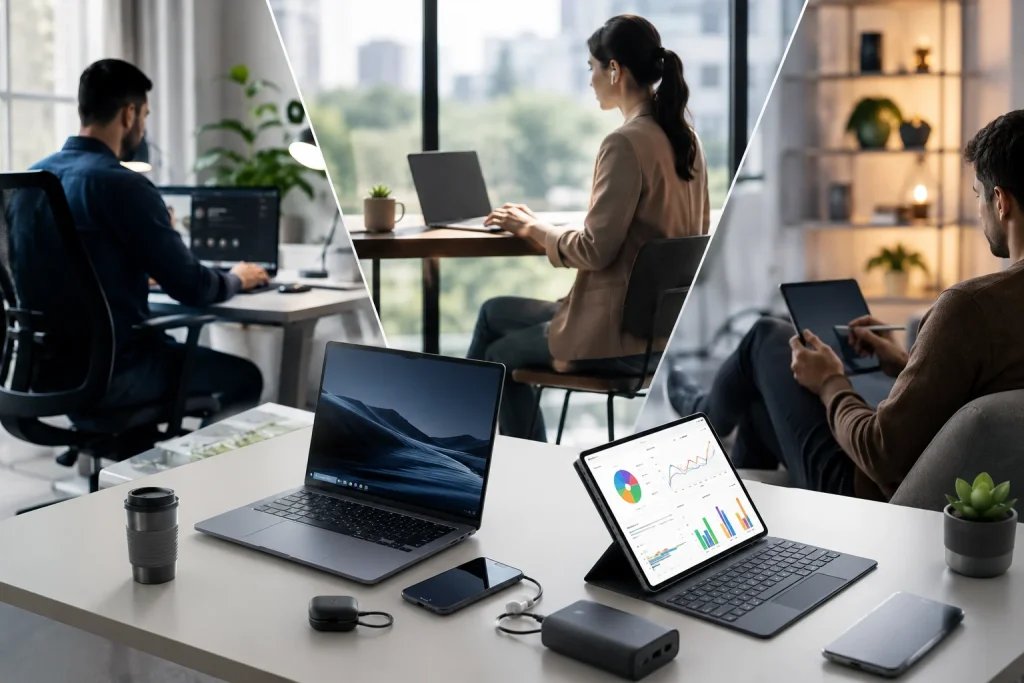
It’s unlikely that you sit in the same place every time you do your job, study, or work from home. Flexible work schedules, distributed teams, online learning, and digital nomadism are driving people to look for new ways to be productive.
The modern workspace is now mobile technology that you can take with you and quickly connect to an outlet and Wi-Fi. A new type of digital workstation is no longer limited to a laptop, a spacious home office, or a dual-monitor desktop. From lightweight computers and versatile, compact accessories to mobile screens, you can easily work and study at home, in a café or library, in a coworking space, or even outside.
But what is a modern portable workspace, and what’s the point?
What is a portable workspace?
A portable workspace can refer to a productive setup you can put together in a way that makes sense for you, at the right place and time. It often involves a laptop or tablet as a central computing device, but you can complete the modern portable workstation with other specialized devices, too.
Portable accessories include a compact, lightweight keyboard, a power bank, and even a mobile display. Manufacturers such as UPERFECT have created products designed specifically for the portable workspace, making it easy to quickly enhance a digital workstation without the need for a permanent desktop monitor.
Creating a modern portable workspace means being productive with flexible devices that you can take with you. The key is to be able to focus on work, studies, or other projects anywhere.
Why is portable technology changing the way we work and study?
Mobile work is rarely limited to one task. Many professionals and students today need to keep track of multiple reference materials at the same time as their main activity.
For example, a meeting in Teams or Zoom may be accompanied by collaborative document work in a separate window, or an online lecture may need to be watched and notes taken simultaneously. Such multitasking scenarios are difficult to manage on a laptop alone, as minimizing and switching between different windows can quickly become distracting.
A mobile monitor with a second screen in the same vicinity can make it possible to keep several applications open while working. It’s not necessary to reach for a dual-monitor setup or a completely new tower – any separate, portable screen will work well.
In fact, there are use cases for mobile monitors in every area of modern digital work and study:
- Remote and hybrid work
- Online courses and research
- Coding and software development
- Video and photo editing
- Business trips and travel
- Presentations and online meetings
- Business analytics and data management
Secondary portable screens will help you to keep everything in order, to better distribute tasks between applications and workspaces, and, ultimately, to stop wasting time by switching between windows.
Traditional vs. portable workstations
| Feature | Traditional Workspace | Portable Workspace |
| Location | Stationary | Mobile and flexible |
| Display setup | Desktop Monitor | Laptop and portable display |
| Portability | Limited | High |
| Setup requirements | Dedicated space | Compact area |
| Ideal for | Permanent offices | Remote work, study, travel |
| Outdoor compatibility | Limited | Available with appropriate devices |
Traditional and portable setups each have their advantages, but one of them is not ideal in all situations.
A conventional desktop workstation is still very effective for home offices, co-working spaces, and office setups that will not change for a long time.
Portable technology can help to keep work and study as flexible as they are today, where people frequently move between multiple environments.
The importance of multi-screen working
Digital workers and students in the modern world need more screen real estate.
Screen space has become one of the most critical factors of digital productivity, as a larger area for applications also means a better opportunity to organize and keep everything you need within view.
Digital students can, for example, keep research and reference materials on one screen, while working on an essay on another. A programmer can keep code on one screen while having access to additional resources or test servers on the second. A content creator can have their editing tools on one display and manage files, scripts, or previews on another.
The idea is not just to have a larger screen but to better organize your digital workspace.
Portable work beyond the office
Portable technology has also expanded the options for where people can work.
Increasingly, professionals are working not just at desks but in balconies, terraces, temporary workspaces, and other environments where a conventional office setup was not an option.
However, working outside also creates one of the key problems that portable technology can help to address – insufficient screen visibility.
Bright sunlight and glare can make it difficult to read information from a standard display. A sunlight monitor with better visibility in brighter environments can be part of the solution.
Display brightness and visibility can be an essential factor when buying portable technology for users that travel, work in photography, or frequently find themselves in brightly lit environments, such as digital nomads and field professionals.
Portable workspace tech requirements
Factors to consider when choosing portable technology.
| Factor | Reasons |
| Weight | Lighter equipment is easier to carry around |
| Screen size | Portability vs. screen real estate |
| Brightness | Visibility indoors and outdoors |
| Resolution | Image and text clarity |
| Connectivity | Type of connection |
| Power consumption | Portability and cable management |
| Stand design | Comfort and viewing angles |
With the right port, some of these devices can be connected using USB-C alone, as it allows a single cable to transmit video and, in some configurations, provide power. Always double-check device compatibility before building a portable workstation.
Portable technology and students
Portable technology also makes it easier for students to work, especially those who need to keep several applications open simultaneously.
Digital textbooks, online courses, learning platforms, and collaborative tools often require access to several open windows.
A portable second screen may help to keep your study tasks separate. You can leave lecture materials open on one screen, while on the other, you can work on your notes, essays, or research.
This can be especially practical in dorms, libraries, shared or temporary rooms, where a full desktop setup might not be a good fit.
The future of the modern workspace
In the future, the modern workspace may not be fully remote or fully in the office but increasingly portable and flexible. As professionals and students move between locations, technologies must adapt to these transitions.
The future of portable workstations will likely feature:
- Lighter, thinner devices
- Brighter and more energy-efficient displays
- Fewer connectivity types
- Better device compatibility
- Flexible and multi-screen solutions
- Enhanced support for work environments both indoors and outdoors
The modern workspace is no longer defined only by a particular location but by access to the right technology.
FAQs
What is a portable workspace?
A portable workspace is a mobile work or study setup built with devices that can be easily carried and used in different locations. It often involves a laptop or tablet as a central computing device, a compact and lightweight keyboard, a power bank, and a mobile display.
Are portable monitors useful?
Yes. Portable monitors can provide additional screen space for multitasking, research, meetings, coding, content creation, and online learning. Their usefulness depends on the individual’s workflow and need for mobility.
Can you use portable displays outdoors?
Portable displays can be used outdoors. However, visibility will vary greatly depending on the brightness, glare, and light sources in the environment. A screen designed for better visibility in bright environments is more suitable for use outdoors.
What devices can connect to a portable display?
Depending on the model and its ports, portable displays may connect to laptops, tablets, smartphones, gaming devices, and other compatible hardware using USB-C, HDMI, or other available connections.
Are portable workstations replacing traditional offices?
No. Traditional offices remain suitable for permanent teams and fixed workstations. Portable technology, on the other hand, offers more flexibility for remote workers, hybrid employees, students, travellers, and professionals who frequently work in multiple locations.
Summary
The modern workspace is a flexible digital setup that relies less on a specific location and more on access to specialized mobile equipment and tools.
Professional and student workstations can now be set up in more ways than ever before, from taking full advantage of your home office to working outside or in a public space with just a laptop, keyboard, and portable display. These days you have the power to design and arrange your own optimal workstation wherever you go.
As remote work, flexible schedules, digital learning, and mobile lifestyles continue to develop and diversify, portable technology will likely become an even more important element in the modern workspace. The most effective workspace of the future may not be a particular room or desk but simply a flexible collection of tools that help you work and study wherever you need to be.