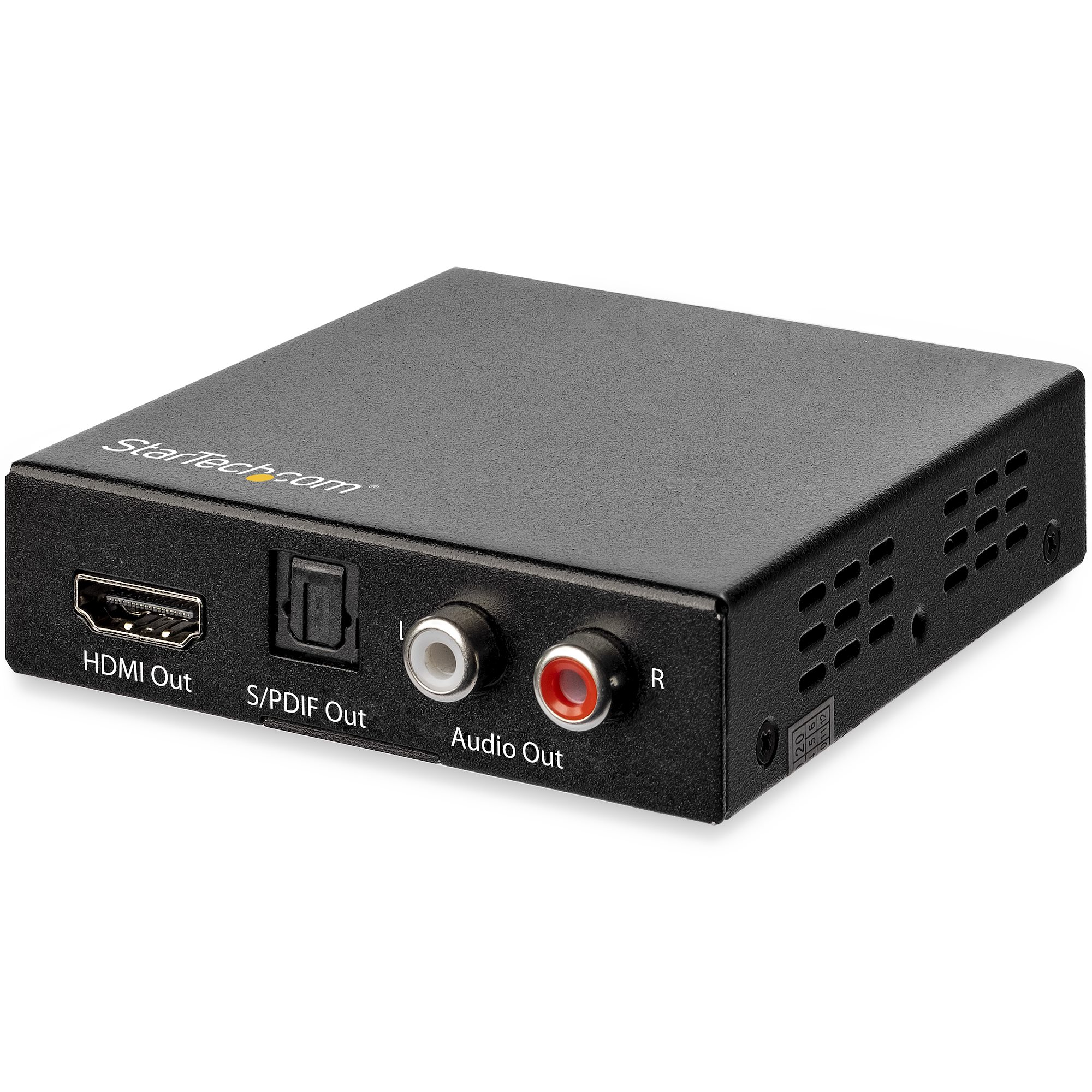
Audio extractors have become indispensable components in modern home theater and gaming setups, serving as the critical bridge between HDMI sources and legacy audio systems. Whether you’re splitting a 4K signal to feed both a projector and a surround sound receiver, or extracting pristine audio from a gaming console, these compact devices handle complex signal processing that keeps your entire entertainment chain running smoothly. Yet despite their importance, many tech-savvy consumers focus almost exclusively on specifications—supported formats, resolution passthrough, and audio codec compatibility—while overlooking the warranty coverage and support infrastructure that protect their investment when something goes wrong.
This oversight can prove costly. A failed audio extractor doesn’t just silence your speakers; it can disrupt an entire signal chain, leaving you scrambling for solutions without a clear path to resolution. This article equips you with practical strategies to maximize your warranty coverage, communicate effectively with customer support teams, and take full advantage of policies like free shipping and hassle-free returns. Through real-world examples, including a detailed look at J-Tech Digital Inc’s support ecosystem, you’ll learn concrete steps to safeguard your purchase from day one and resolve issues quickly when they arise.
Understanding Audio Extractor Warranties: A Comprehensive Guide
When you purchase an audio extractor, the warranty that accompanies it represents more than a slip of paper in the box—it’s your safety net against manufacturing defects and premature failures. Most audio extractors come with a standard manufacturer warranty ranging from one to three years, though some brands offer extended coverage for registered products. These warranties typically cover defects in materials and workmanship, meaning if your device fails under normal operating conditions, you’re entitled to repair or replacement at no cost.
Understanding the distinction between manufacturer warranties and extended warranties matters. Manufacturer warranties activate at purchase and cover inherent product flaws, while extended warranties—often sold by retailers—kick in after the original coverage expires and may include accidental damage protection. For audio extractors specifically, registration is a step many buyers skip but shouldn’t. Registering your device creates a verified record of ownership, simplifies future claims, and sometimes unlocks additional coverage months. Common exclusions to watch for include damage from power surges, unauthorized modifications, and use outside specified operating conditions. To protect your coverage, always use the included power supply, ensure adequate ventilation around the device, and avoid daisy-chaining through uncertified HDMI cables that could cause voltage irregularities.
Key Components of a Robust Warranty
A warranty’s value hinges on three core components. First, duration and coverage breadth determine how long you’re protected and what scenarios qualify—look for warranties that explicitly cover both the HDMI passthrough and audio extraction circuitry, since these represent separate failure points. Second, transferability matters if you plan to sell your equipment during upgrades; a transferable warranty increases resale value and signals manufacturer confidence in product longevity. Third, international support provisions are essential for consumers who purchase from overseas retailers or relocate. Some manufacturers honor warranties globally, while others restrict coverage to the country of purchase. Tech-savvy consumers should verify these details before buying, particularly when sourcing audio extractors from international marketplaces where pricing may be attractive but post-sale support could be limited.
Step-by-Step: How to Claim Your Audio Extractor Warranty
When your audio extractor develops issues, a systematic approach to warranty claims saves time and frustration. Start by gathering your proof of purchase—this includes the original order confirmation email, receipt, or invoice showing the purchase date and retailer. Next, document the problem thoroughly: note when the issue started, what signals you’re passing through the device, and whether the problem is intermittent or constant. Before contacting support, perform basic troubleshooting—swap HDMI cables, test with different source devices, and try a factory reset if available. This demonstrates good faith and helps support teams diagnose the issue faster. When you’re ready to file a claim, contact the manufacturer through their preferred channel with your model number, serial number, purchase date, and a clear description of the malfunction. Most companies will walk you through additional diagnostics before issuing a Return Merchandise Authorization number. Keep copies of all correspondence, and if shipping the device back, use tracked delivery to confirm receipt at the service center.
Maximizing Customer Support for Your Audio Extractor
Customer support represents your most valuable resource when an audio extractor behaves unexpectedly, yet many consumers treat it as a last resort rather than a proactive tool. Effective engagement with support teams can mean the difference between days of frustration and a same-day resolution. Most audio extractor manufacturers offer multiple contact channels—phone support for urgent issues requiring real-time dialogue, email for detailed technical problems that benefit from attached screenshots or logs, and live chat for quick questions about compatibility or setup. The key is choosing the right channel for your specific situation. A complete signal loss warrants a phone call, while an intermittent audio dropout that only occurs with specific content might be better explained through email where you can attach detailed notes about your signal chain.
Before reaching out to customer support, invest five minutes in preparation that will dramatically improve your interaction. Pull up your device’s model number and firmware version—usually found in the device’s on-screen display or printed on the bottom label. Have your signal chain mapped out: source device, HDMI cable specification, audio extractor, output devices, and any settings you’ve configured. Check the manufacturer’s website for firmware updates, downloadable manuals, and FAQ sections that address common issues. Many problems—like HDCP handshake failures or EDID conflicts—have documented solutions that don’t require a support ticket at all. When self-service resources don’t resolve your issue and you need to escalate, reference the specific troubleshooting steps you’ve already attempted. This prevents support agents from walking you through basic procedures and moves your case directly to technical specialists who can address root causes.
Effective Communication with Support Teams
Clear, structured communication transforms your support experience. When describing your problem, lead with the symptom rather than your theory about the cause—saying “no audio output on optical when passing Dolby Atmos content from my Xbox” gives the agent more actionable information than “I think the DAC is broken.” Always include your model number and serial number in your first message to eliminate back-and-forth requests for basic information. Specify your firmware version, the resolution and audio format you’re attempting to pass, and whether the issue appeared suddenly or after a change in your setup. Document every interaction by saving chat transcripts, noting the names of phone agents, and keeping email threads intact. If your issue requires escalation, this documentation demonstrates persistence and prevents you from repeating information. When a support representative provides instructions, confirm your understanding by restating the steps before ending the conversation—this catches miscommunications before they waste your time.
Leveraging Online Communities and Forums
Official support channels aren’t your only resource. Online communities dedicated to home theater and AV equipment—such as AVS Forum, Reddit’s r/hometheater, and manufacturer-specific user groups—offer a wealth of peer-generated knowledge that complements official support. These communities excel at identifying widespread issues before manufacturers acknowledge them, sharing workaround solutions for firmware bugs, and providing real-world compatibility reports for specific device combinations. When posting in forums, include the same detailed information you’d provide to official support: your complete signal chain, the specific behavior you’re experiencing, and what you’ve already tried. Fellow enthusiasts who own the same audio extractor can often pinpoint whether your issue is a known limitation, a configuration error, or a genuine hardware defect worth pursuing through warranty channels. This peer validation helps you approach official support with confidence, armed with community-confirmed evidence that strengthens your case for replacement or repair.
The Benefits of Free Shipping and Return Policies for Audio Extractors
Beyond warranty coverage and technical support, the purchasing policies surrounding audio extractors significantly impact your overall ownership experience. Free shipping and flexible return policies aren’t just marketing perks—they’re practical tools that reduce financial risk and give you the confidence to invest in the right equipment for your setup. For tech-savvy consumers who frequently test and compare devices, these policies create a safety net that encourages informed experimentation rather than hesitant, compromise-driven purchases.
The true value of these policies becomes apparent when you consider how audio extractors function within complex signal chains. Unlike a standalone speaker or a simple cable, an audio extractor must integrate seamlessly with your specific combination of source devices, displays, and audio equipment. Compatibility issues that don’t appear on a spec sheet—EDID conflicts between a particular TV model and extractor, or HDCP version mismatches with older receivers—may only surface once you’ve physically connected everything in your setup. A generous return window transforms your living room into a proper testing environment where you can verify real-world performance without the pressure of a ticking clock. When comparing retailers, look beyond the headline return period and examine the conditions: some require original packaging in pristine condition, others charge restocking fees ranging from 10 to 20 percent, and a few restrict returns on opened electronics entirely. The most consumer-friendly policies allow opened-box returns with no restocking fee within 30 days, giving you adequate time to test across multiple content types and source configurations.
How Free Shipping Enhances the Tech Purchase Experience
Free shipping on audio extractors eliminates a hidden cost that can distort purchasing decisions. When shipping fees run between eight and fifteen dollars for small electronics, budget-conscious buyers sometimes choose inferior products from sellers offering free delivery over better-reviewed options that charge for shipping. This false economy leads to dissatisfaction and eventual repurchasing—costing more in the long run. Free shipping levels the playing field, allowing you to select based purely on performance, compatibility, and support quality. It also facilitates hassle-free warranty replacements; manufacturers who cover return shipping during warranty claims save you the frustration of paying to send back a defective product. Some brands, like those selling through Amazon Prime or their own direct storefronts, offer expedited free shipping that gets replacement units to your door within two days—critical when your entire home theater is offline waiting for a functioning extractor. For consumers who purchase multiple units to compare before committing, free shipping with free returns essentially provides a risk-free audition period that no amount of online research can replicate.
Navigating Return Policies for Peace of Mind
Initiating a return on an audio extractor requires attention to detail that prevents delays or denied claims. First, verify the return window start date—some retailers count from the order date, others from the delivery date, and the difference can matter when shipping takes a week. Before removing any packaging, photograph the box condition and document the included accessories, as many return policies require all original components including HDMI cables, power adapters, and mounting hardware. If you open and test the device, keep the packaging intact and avoid applying adhesive labels or permanent markings to the unit. When requesting a return, clearly state your reason; “incompatible with my setup” is perfectly valid and avoids the back-and-forth of technical troubleshooting that delays processing. Check whether the retailer provides a prepaid return label or requires you to arrange shipping—this distinction can represent a fifteen-dollar difference in your effective refund. For defective units within the return window, always pursue a retailer return rather than a manufacturer warranty claim, as retailers typically process refunds faster and don’t require you to wait for repair assessments. Save your return tracking number and follow up if the refund doesn’t appear within the stated processing period, which typically ranges from five to ten business days after the warehouse confirms receipt.
Case Study: J-Tech Digital Inc Audio Extractors and Their Support Ecosystem
J-Tech Digital Inc has carved out a notable position in the audio extractor market by combining reliable hardware with a support infrastructure that tech-savvy consumers can actually depend on. Their product lineup spans basic stereo extractors to advanced multi-channel units supporting the latest HDMI specifications, but what distinguishes them from competitors operating at similar price points is the cohesive ecosystem surrounding each purchase. From the moment you order a J-Tech Digital Inc audio extractor, the experience reflects a company that understands how these devices fit into complex home theater environments—and how frustrating it becomes when something in that chain breaks without a clear resolution path.
J-Tech Digital Inc’s approach integrates the three pillars we’ve discussed throughout this article: comprehensive warranty protection, accessible multi-channel customer support, and consumer-friendly shipping and return policies. Their products ship with free delivery through major fulfillment networks, eliminating the cost barrier that might otherwise push buyers toward lesser-known brands. The return policy provides a comfortable testing window, acknowledging that audio extractors need real-world verification within your specific equipment chain before you can confirm compatibility. Perhaps most importantly, their warranty terms reflect confidence in build quality while providing straightforward claim processes that don’t require engineering expertise to navigate. For consumers who’ve been burned by budget extractors backed by nonexistent support teams, J-Tech Digital Inc represents a middle ground where performance meets accountability.
J-Tech Digital Inc’s Warranty and Support in Detail
J-Tech Digital Inc backs their audio extractors with a manufacturer warranty that covers defects in materials and workmanship under normal use conditions. Their warranty claim process is notably streamlined compared to industry norms—rather than navigating automated phone trees or waiting days for email responses, customers can reach their U.S.-based technical support team through multiple channels including direct phone lines, email, and responsive online contact forms. The support team demonstrates genuine familiarity with their products and common integration scenarios, which means you’re speaking with people who understand what it means when you describe an HDCP handshake failure between your 4K player and an older receiver. J-Tech Digital Inc also maintains updated firmware resources and compatibility guides on their website, empowering users to resolve common configuration issues independently. Their support hours accommodate working professionals who can’t make midday phone calls, and response times on email inquiries typically fall within one business day. For warranty claims specifically, they minimize customer burden by providing clear instructions, prepaid return labels in many cases, and fast turnaround on replacements—recognizing that a dead audio extractor means your entire entertainment system sits idle.
Real-World Experiences: Customer Success Stories
The practical impact of J-Tech Digital Inc’s support ecosystem shows clearly in documented customer experiences. One home theater enthusiast discovered intermittent audio dropouts when passing lossless Dolby TrueHD from a media server through their extractor to a legacy receiver. After contacting J-Tech Digital Inc’s support team with detailed signal chain information, the representative identified a known EDID negotiation issue with that specific receiver model and provided a firmware update that resolved the problem within minutes—no return shipping, no waiting for replacement units, just a targeted fix delivered through knowledgeable support. Another customer purchased an extractor that arrived with a defective optical output. Rather than enduring weeks of back-and-forth diagnostics, J-Tech Digital Inc’s team verified the issue through a brief troubleshooting call, issued a replacement immediately, and included a prepaid label for returning the faulty unit—with the new extractor arriving before the return shipment was even collected. These experiences highlight a pattern: when warranty infrastructure and customer support work as intended, hardware problems become minor inconveniences rather than project-derailing setbacks. For tech-savvy consumers building sophisticated AV systems, this reliability in post-purchase support is as valuable as the technical specifications that initially attract them to a product.
Safeguarding Your Audio Extractor Investment for the Long Term
Protecting your audio extractor investment extends far beyond selecting the right specifications—it requires active engagement with the warranty, support, and purchasing policies that surround your device. Understanding your warranty’s scope, registering your product promptly, and documenting your setup positions you to resolve hardware failures quickly rather than absorbing unexpected replacement costs. Communicating effectively with customer support teams—armed with model numbers, firmware versions, and detailed descriptions of your signal chain—transforms frustrating interactions into efficient problem-solving sessions. Meanwhile, free shipping and flexible return policies serve as practical tools that let you test audio extractors within your actual equipment chain without financial penalty, ensuring compatibility before commitment becomes permanent.
These strategies work together as a unified approach to smarter ownership. As demonstrated through J-Tech Digital Inc’s ecosystem, manufacturers who invest in accessible support, straightforward warranty claims, and consumer-friendly policies create an experience where hardware issues become manageable interruptions rather than costly disasters. Take action today: locate your proof of purchase, register any unregistered devices, bookmark your manufacturer’s support page, and familiarize yourself with the return policies of your preferred retailers. The few minutes you invest now will save hours of frustration when you need these systems most.